
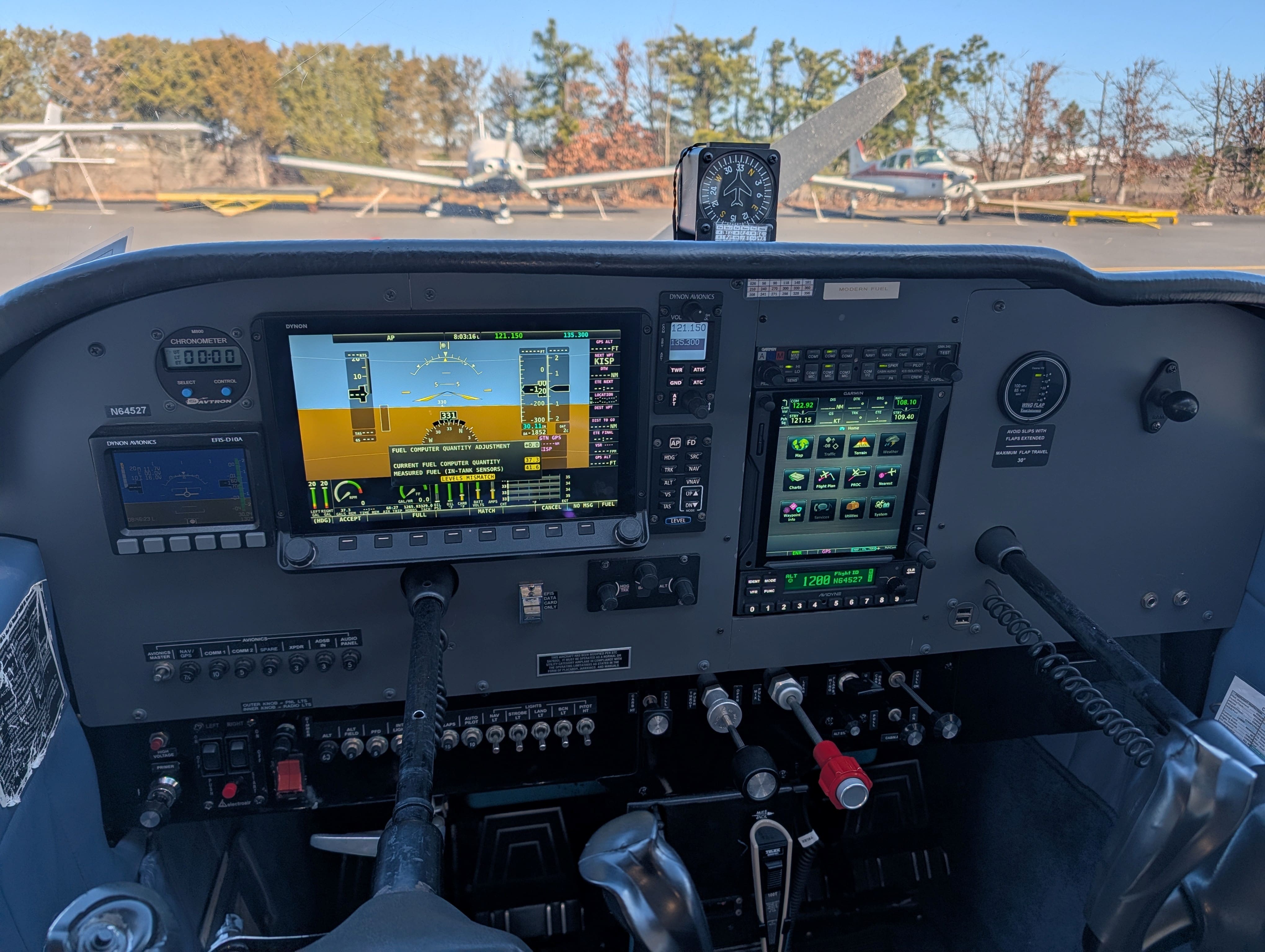
The Cessna 172 has trained more pilots than any other aircraft in history, and if you learn to fly on Long Island, there is a very good chance you will learn in one. But nothing about a first look at the panel is intuitive — a cluster of round dials, a couple of screens, a yoke, a radio stack, and a row of switches that all look equally important. This guide walks the cockpit the way we introduce it to students before their first flight: the two panel layouts you will encounter, what the instruments tell you, what the radios do, and which handful of things you will actually put your hands on during a discovery flight.
Two panels: the six-pack and the glass
Every 172 you climb into wears one of two layouts. The traditional one is the six-pack — six round "steam gauge" instruments arranged in two rows of three directly in front of the pilot, unchanged in concept since the 1950s. The modern one is the glass panel — electronic flight instrument system (EFIS) displays that replace the six-pack with a screen and add GPS navigation, moving maps, and engine monitoring. Neither is better for learning; a pilot trained on one can fly the other after a checkout, and the underlying airplane is exactly the same machine. Here at Aspire, our fleet spans both, which turns out to be a training advantage — you learn on whichever panel suits you and transition to the other cheaply.
The six instruments and what they tell you
Whether you are reading steam gauges or a glass screen, the same six instruments tell you the same six things about the flight:
- Airspeed indicator. How fast you are moving through the air, in knots. Marked with colored bands — green for normal flying, white for flap operation, yellow for caution, and a red line never to exceed.
- Attitude indicator. The artificial horizon — shows whether the nose is up or down and the wings are level or banked. It is the one you will watch most while learning, because it is the airplane's orientation in one glance.
- Altimeter. Altitude in feet, read from barometric pressure. Set to the local pressure before flight, it tells you your height above sea level — and above the longest final approach path into Republic Airport.
- Turn coordinator. Rate of turn and whether the turn is coordinated — meaning the ball in the tube stays centered. In plain terms: are you turning smoothly, or dragging the airplane sideways through the air.
- Heading indicator. Your compass heading, gyroscopically stabilized so it does not swing with every bump. It aligns with the wet magnetic compass before flight and gets realigned periodically in the air.
- Vertical speed indicator. Climb or descent rate in feet per minute. You will learn to hold altitude by making tiny corrections long before this needle has anything to say.
Below and around those six sit the engine instruments — RPM, fuel quantity, oil pressure and temperature — plus the ammeter and, in older airplanes, the vacuum gauge. They tell you the airplane's health, which you will check constantly in training.
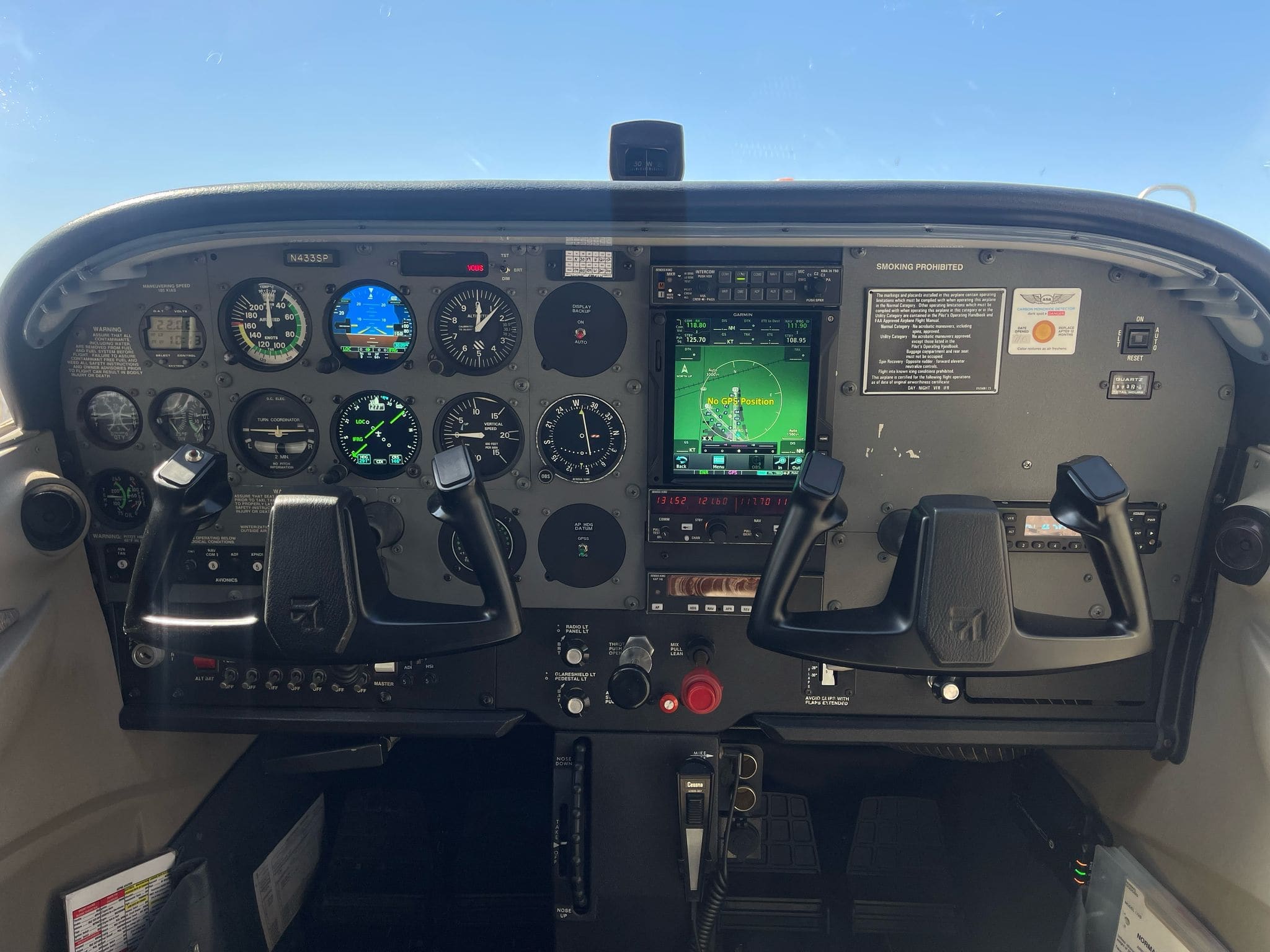
What a glass panel changes
A glass panel does not add instruments — it re-presents them. The primary flight display (PFD) puts the six-pack on one screen, with the attitude indicator as the centerpiece and airspeed, altitude, and vertical speed on tapes beside it. The multifunction display (MFD) or a second screen carries the moving map, GPS navigation, engine readouts, and traffic. Several of our 172s fly with Dynon SkyView EFIS panels, an Avidyne IFD GPS navigator, and Garmin G3X displays — the panel shown in the photo above. What that buys you in training:
- GPS approach capability. The IFD flies IFR approaches with the same box you will see in light jets — shoot an approach into KFRG in training and the habit transfers to anything you fly later.
- Engine monitoring. Every parameter on one screen, with alarms. Student pilots see trends, not just needles.
- Weather and traffic on the map. ADS-B traffic and flight information make every lesson a richer picture of the airspace around Long Island.
The tradeoff is the one glass critics always raise, and it is fair: a screen is a single point of failure in a way six independent gauges are not, and the FAA agrees — which is why glass-equipped aircraft still carry backup instruments for the airspeed, altitude, and attitude that matter most. You learn to fly the airplane first and the panel second, either way.
What you will actually touch on a discovery flight
Here is the part that surprises people: on a first flight, your hands go on very little of what you are looking at. Three things, really:
- The yoke. The U-shaped wheel in front of you, and the main one. It controls pitch — pull toward you, nose up; push away, nose down — and roll — turn it left or right, wing goes down that direction. Expect it to feel heavier and more connected than a car steering wheel; it is genuinely connected to the flying surfaces.
- The throttle. The black knob to your right. Push in for more power, pull out for less. Your instructor sets it for takeoff and landing; in the practice area you may work it to see how speed and climb respond.
- The rudder pedals. Your feet, not your hands — and the ones most people forget they own. Rudder coordinates turns and holds the nose straight, especially during the climb. Expect to over-use them at first; everyone does.
Everything else stays with your instructor. The radio calls to Republic Tower, the GPS, the transponder, the trim wheel — handled from the right seat while you focus on flying the airplane and looking outside, which is the whole point of the first hour anyway. You are not expected to know where anything is, and nothing in the panel is going to bite you. You fly; the instructor manages the machine.
The radio stack, briefly
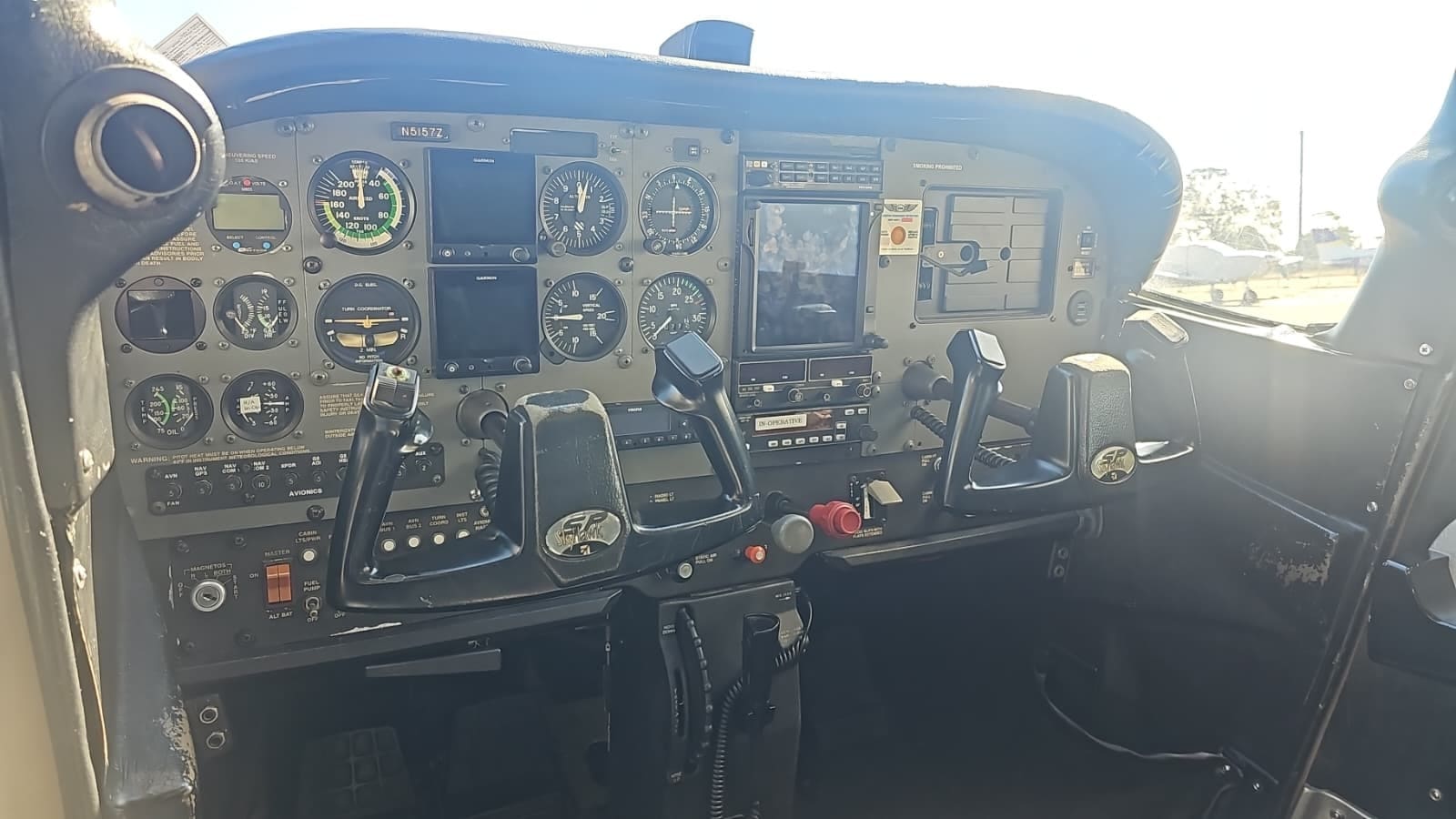
Between the two seats sits the radio stack: the communication radio that carries your voice to the tower, the navigation radio, and the transponder that tells radar who you are. At a Class D airport like Republic, every flight involves talking to the tower — "Republic Tower, Cessna 64527, ready for departure, runway one-niner" — and your instructor will handle all of it on a discovery flight. Listen for the rhythm of it. First radio calls are the part of training people dread most on the ground and find natural by hour ten, because the phraseology barely changes from call to call. If you continue training, that radio stack becomes yours to work, and the G1000-equipped 172 shown above is where a lot of our students learn it.
All those switches and circuit breakers
The row of switches on the lower panel runs the aircraft's electrical life: the master switch (battery and alternator), avionics master, fuel pump, and the lighting — taxi, landing, strobe, and navigation lights. The pitot heat switch keeps the airspeed indicator's pitot tube clear of ice. The circuit breakers protect each electrical circuit. On a discovery flight you will touch none of these, and you are not missing much — but it is worth knowing they exist, because the preflight flow in training includes every one of them, and knowing what each does is part of learning the airplane rather than just flying it.
Why the 172 is the standard trainer
After an hour in the panel, the design choices make sense. The 172 is stable and honest — it tells you what it is doing through the yoke and settles into a glide at a trim speed without drama. The panel is complicated enough to teach real skills — navigation, radio work, instrument interpretation — and simple enough to learn them without the airplane fighting you. The habits you build in a 172 at KFRG, from pattern work in Class D airspace to a glass-panel IFR approach, transfer directly to bigger and faster aircraft. That is why it has outlasted nearly every rival trainer and why, sixty-plus years into production, it is still the airplane most new pilots meet first — and why most of the students training out of Farmingdale, from Nassau career-track pilots to Suffolk hobbyists, are meeting it here. If you are weighing it against the smaller Cessna 152, we have a full 172 vs 152 trainer comparison that goes into cost, cabin size, and carrying capacity.
Read next: Cessna 172 vs 152 — which trainer →, what to expect on your first discovery flight →, or browse the private pilot training program →